My Lucky Scoop Studio Co-op & Multiplayer Tips
Share a cozy studio without crashing into the same packing table.
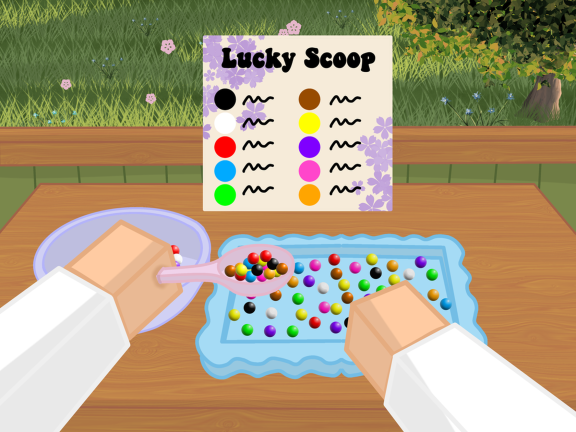
My Lucky Scoop Studio supports online multiplayer with servers up to 12 players. Co-op can speed large tickets — or create chaos if everyone scoops the same color pile. This guide covers roles, etiquette, and when to go solo for badge grinds.
What co-op is good for
- Splitting scoop and pack on 6–10 scoop tickets
- Teaching a friend the loop with Getting Started habits
- Decorating together after capacity is stable (Customize Your Studio)
- Keeping the vibe cozy while someone else runs the ticket board
Simple role split
| Role | Focus | Avoid |
|---|---|---|
| Ticket lead | Accepts / reads tickets aloud | Silent ticket swaps |
| Scoop lead | Marbles + product collect | Dumping extras into the box |
| Packer | Final arrange, seal, ship | Mid-pack gift hunts |
On smaller friend groups, one person can be scoop lead while another packs. Call items by color and count: “two blue notebooks, one orange mirror.”
Etiquette that saves friendships
- Do not steal the pack table mid-seal.
- Do not buy shared-looking decor that blocks paths without asking.
- Leave capacity advice as suggestions — link the tier list instead of shaming Robux choices.
- If someone is chasing badges, keep chatter short during pack confirms.
- Celebrate clean ships, not speed runs that fail boxes.
When solo is faster
- First-hour learning (How to Play)
- Precision packing practice (How to Pack Orders)
- Serious 50 / 100 order pushes where misclicks cost streaks
- Testing a new gamepass carry feel
Busy public servers feel fun, but quiet servers win for Impossible-rarity milestones.
Controls reminder for groups
Agree on who clicks ship. Double ship attempts waste time. Mobile + PC mixed lobbies should restate ticket counts in chat — see Controls.
Scripts and co-op
Do not run auto-order scripts in a friend’s session. Automation risk notes: Scripts. A banned co-op partner cannot finish the order with you. Never share executor accounts.
Codes and shared rewards
Promo codes (when they exist) are per account. There are still 0 active codes as of 28 November 2026 — Codes. Friends cannot redeem for you.
Teaching a brand-new friend
Start them on Getting Started while you take packer. Let them own scoop colors for one ticket, then swap. Do not gift them a Cart on minute five — they need to feel why Basket matters first (Gamepasses). Celebrate the first shared First Order badge moment, then set a calm goal like ten clean ships together.
Noise, chat, and focus modes
Public lobbies can be loud. If you are badge grinding, switch to a quieter server or a private vibe with one friend. Keep ticket counts in chat for mixed PC/mobile groups. Mute non-essential emote spam near the pack table so prompts stay readable.
Economy fairness in co-op
Coins from a shipment usually credit the shipper’s progress systems. Do not assume shared wallets. Each player still needs their own Basket plan. Help friends learn packing instead of carrying every box for them forever.
Session plan (30 minutes with friends)
- Warm up with one 1-scoop ticket each.
- Run two mid tickets with clear roles.
- Optional large ticket only if Basket / Cart capacity is ready.
- Five minutes of decor or screenshots — then stop while packs are still clean.
After-patch co-op checklist
- Everyone rejoins the same place ID
87604112704506. - One test 1-scoop ticket with roles assigned.
- Confirm Basket / Cart still owned (tier list).
- Skim Updates for UI label changes.
- Resume mid tickets only when packs feel stable.
Related pages
Share the studio, protect the pack table, and keep every shipment calm.
Frequently Asked Questions
Quick answers about scooping, packing, codes, and studio upgrades.
How many players can join My Lucky Scoop Studio together?
Servers hold up to 12 players. Invite friends or play in public lobbies within that cap.
What is the best co-op role split?
One ticket/scoop lead and one dedicated packer for large tickets. Call colors and counts out loud.
Should I grind badges in co-op?
Casual badges yes; serious 50/100 pushes are often faster solo so packs stay clean.
Can friends share code rewards?
No. Codes (when available) redeem per account. None are active yet — see Codes.