My Lucky Scoop Studio Guides & Walkthroughs
Every cozy scoop tutorial — from first ticket to rare badges.
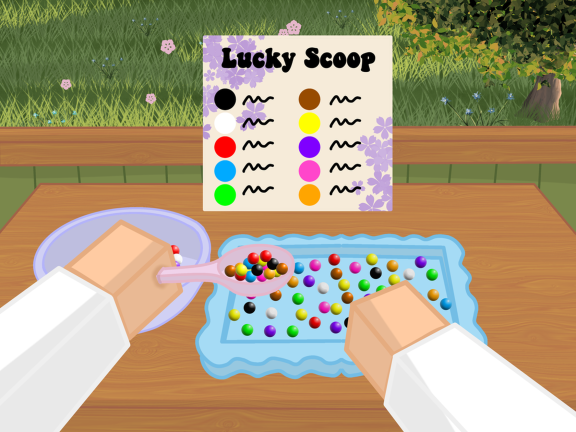
This Guides Hub collects every My Lucky Scoop Studio walkthrough on the wiki. Whether you just joined the Roblox beta studio or you are stuck on packing failures, start here and branch into the deep guides below.
Beginner path
- Getting Started — load in, accept the first ticket, ship your first order, and set good habits.
- How to Play — full Scoop → Collect → Pack → Ship explanation with controls notes for PC and mobile.
- How to Pack Orders — stop failed shipments and messy boxes.
Progression path
- Earn Coins Fast — ticket choice, capacity timing, and Robux-efficient planning.
- Customize Your Studio — spend surplus coins on layout and vibe without tanking income.
- Badges Guide — First Order through 50 / 100 milestones and calm grind plans.
- Gamepasses — Basket, Cart, coin packs, and Robux decision trees.
- Controls — PC and mobile scoop / pack interactions.
- Co-op Tips — 12-player servers, roles, and etiquette.
Cross-links outside Guides
- Codes — promo redeemables (none active yet)
- Tier List — Basket / Cart priority
- Scripts — automation risks
- Players — badge milestones overview
- Updates — beta patch log
- Wiki Hub — full site map
What each guide solves
| Guide | Player intent |
|---|---|
| Getting Started | “I just joined — what do I click?” |
| How to Play | “Explain the whole loop” |
| How to Pack Orders | “Why won’t my order ship?” |
| Earn Coins Fast | “I need capacity money” |
| Customize Your Studio | “How do I decorate without going broke?” |
| Badges Guide | “How do I reach 50 / 100 orders?” |
| Gamepasses | “Is Basket or Cart worth Robux?” |
| Controls | “How do I scoop on mobile/PC?” |
| Co-op Tips | “How do we share a studio?” |
How we write guides
Each English guide aims for real depth (600+ words), practical checklists, and related FAQs. Mid-article YouTube embeds use real gameplay videos — never invented IDs. Internal links always use trailing slashes and locale-agnostic paths like /guides/getting-started/.
Suggested first hour
Spend your first session only on Getting Started and How to Play. Do not open the Robux shop for decorations yet. After three clean shipments, skim the tier list and decide whether Basket is worth it for you. Then return here whenever a friend asks how the studio works.
Beta disclaimer
My Lucky Scoop Studio / Lucky Scoop Order remains in beta (live since 26 August 2026, 20M+ visits). Button labels and packing rules can shift after patches listed on Updates. If a screenshot in a video looks slightly different from your build, trust the live UI and the checklist logic (read ticket → scoop → collect → pack → ship).
Keep exploring
New guide pages appear under this hub as players ask new how-to questions. Check back after major Twinkle Bloom updates, and use the header Guides dropdown for quick jumps.
Master the cozy loop, help your customers, and grow a studio you are proud to show off.
Frequently Asked Questions
Quick answers about scooping, packing, codes, and studio upgrades.
Which guide should I read first?
Start with Getting Started, then How to Play.
Do guides include YouTube videos?
Yes — at most one real gameplay video per guide, placed mid-article for lazy-load viewing.
Are these guides for the Roblox beta?
Yes. They target the My Lucky Scoop Studio cozy scoop loop currently in beta on Roblox.
Where do I find badge grinding tips?
Read the Badges Guide and the Players hub.
Where are Basket and Cart explained?
See Gamepasses and the tier list.